2 in 1 Solar Outdoor Spot Lights With Waterproof
$121.68
$152.10
-20%

Linkind ET6 Smart TV Backlights with HDMI 2.0 Sync Box


Pickup currently not available

 Estimated delivery in 3-7 business day
Pickup currently not available


| Product | Linkind ET6 Smart TV Backlights with HDMI 2.0 Sync Box |
| Power Input | 100-240V 50/60Hz |
| Adapter Output | DC12V⎓3A |
| Max Power | 36W |
| Light Strip Length | 10 ft each, 2 included |
| Voice Assistants | Amazon Alexa, Google Assistant |
| Control Methods | App, voice control, sync box |
| HDMI Version | HDMI 2.0 with support for up to 4K@60HZ |
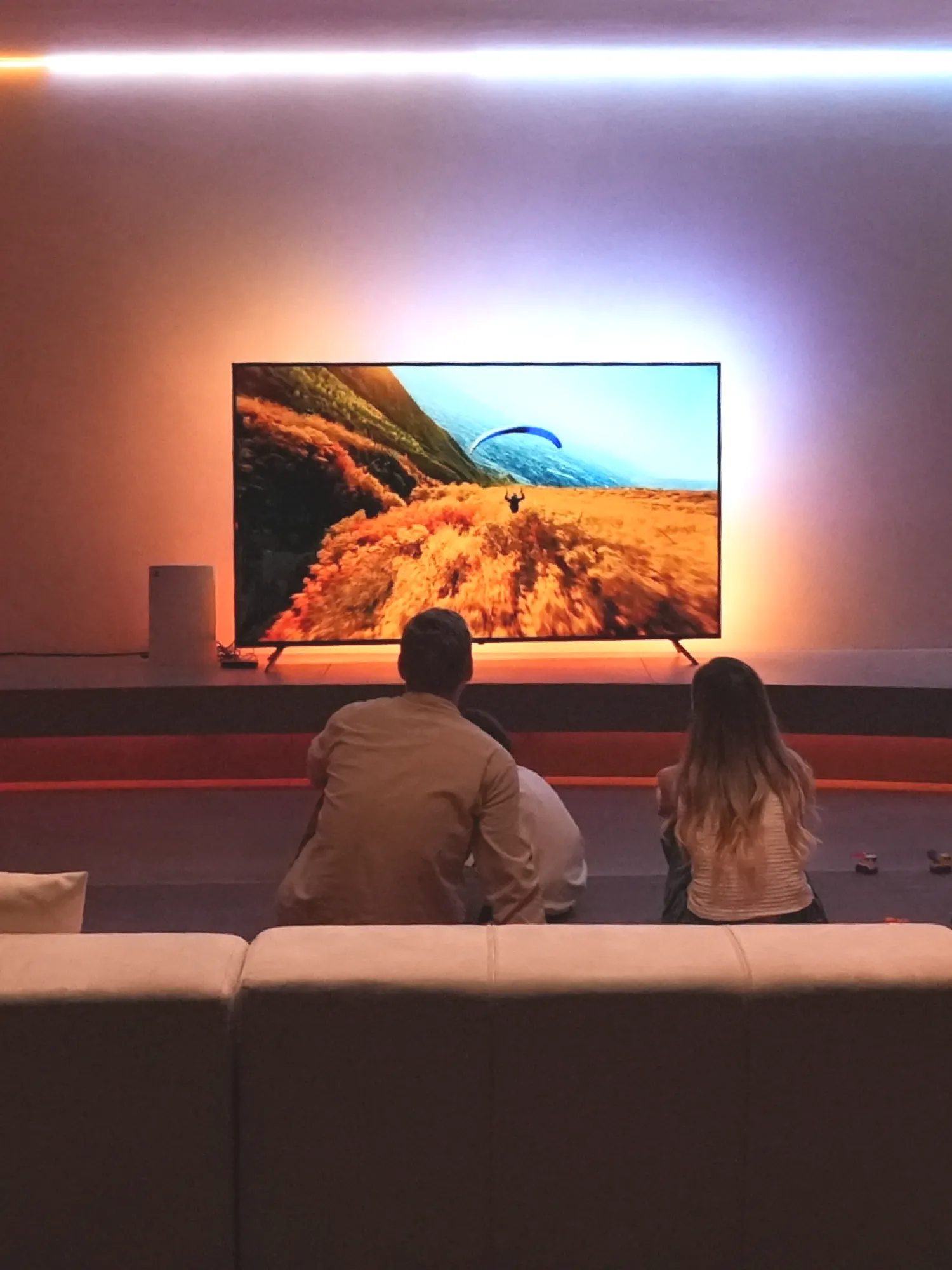
LumiSync™ analyzes video passing through the HDMI sync box and matches the backlights to your movies and games without a camera. Auto-Refill detects black bars in widescreen content and focuses the lighting response on the active picture.
Not directly. Screen syncing requires an external HDMI source, such as a Fire TV Stick, Roku, Apple TV, or game console. Connect that device to the sync box, then connect the box to your TV.
ET6 supports up to 4K at 60Hz through HDMI 2.0. It works with compatible game consoles at supported settings, but does not provide 4K at 120Hz passthrough. Set your source device’s output accordingly.
The sync box has one HDMI input. To use multiple sources, connect them through a compatible HDMI switcher, sold separately, before the sync box. Select the source you want to watch or play on the switcher.
Linkind ET6 Smart TV Backlights fit screens from 27 to 90 inches and include two 10-foot strips. Trim excess only at designated cut points, then adjust the strip length in the AiDot app to match your installation.
Select Screen Mode, verify the strip length in Light Positioning, and check that the TOP and BOTTOM strips use the correct ports and follow the installation diagram. If the lighting changes feel too intense, try a lower sensitivity setting.
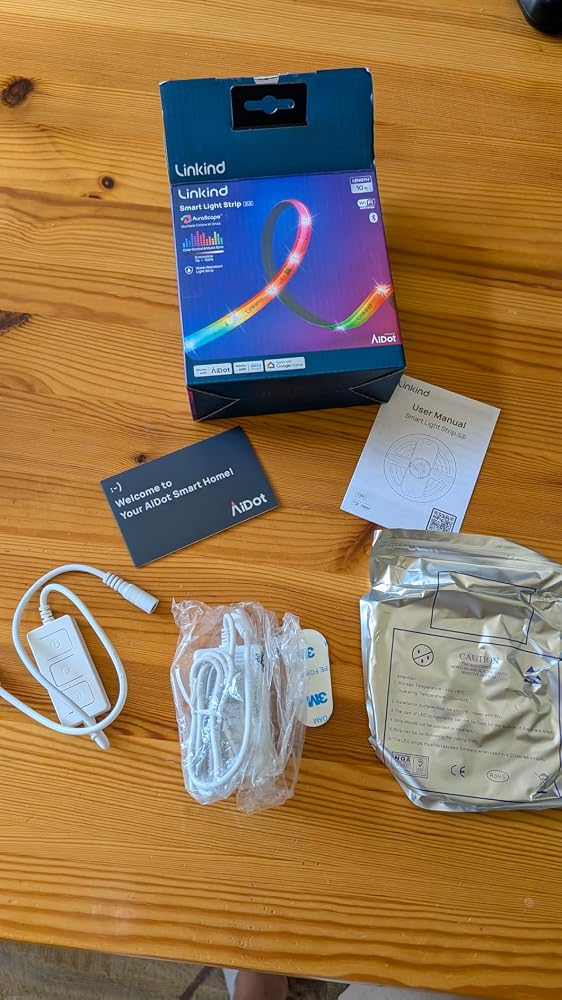
I purchased the Linkind Smart LED Strip Lights (10ft RGB) to enhance the look and feel of my TV and gaming area, and it completely delivered. The lights are exactly what I was hoping for bright, colorful, easy to control, and sleek in design. Even though it’s currently unavailable, I’m really glad I grabbed one when I did.Setup and Installation:Installing this light strip behind my mounted TV was simple. The adhesive backing is strong enough to stay in place on smooth surfaces, and the strip is flexible enough to curve around corners neatly. It laid flush along the edges of my TV, which made it easy to create a clean, professional look with no visible clutter. I didn’t have to use extra clips or mounting brackets, which kept the install quick and hassle free.Features and App Control:The app control really makes this product shine. I downloaded the Aidot app, and it paired with the lights right away. From there, I was able to:• Choose from a wide range of preset colors and brightness levels.• Set up music sync so the lights react to sound, which is great for gaming or watching action packed movies.• Create custom lighting scenes depending on the mood like calm pastel tones for relaxing or vibrant rainbow effects for parties.It also works well with Alexa, so I can control it hands free when I’m across the room. I love that I can even schedule it to turn on or off at specific times.Visual Impact:Once installed, the strip completely transformed the look of my setup. The glow from the back of my TV creates this soft, ambient halo that enhances the vibe of the entire room without being too harsh or distracting. The color transitions are smooth, and even when set to just one solid color (like warm orange or cool blue), the saturation is rich and consistent across the entire strip.My pictures show how dynamic the colors look blue, yellow, and orange tones all pop beautifully against the neutral wall. It definitely adds a custom feel to the area and ties together all the tech and neon elements in the space.A Few Tips:• If you’re installing it behind a mounted TV, I recommend cleaning the surface first and mapping out the placement before peeling the adhesive backing.• For best music sync results, keep the controller exposed and not blocked by furniture.• It’s 10ft long, so it works great for medium to large TVs. I used it behind a large flat screen and still had just enough slack to adjust for symmetry.Final Thoughts:This Linkind LED strip is one of the best upgrades I’ve added to my entertainment zone. The color quality, app features, and music sync mode give it a premium feel at a very reasonable price. I hope it comes back in stock soon, because I would absolutely get another one for my bedroom or behind my desk.I highly recommend !!!!!
This is a great multi-functional LED strip! The colors are vibrant and the brightness is nice.The app to control the lights is easy enough to use, but it bums me out when you're forced to create an account just to unlock the full function of the lights. It comes with a physical controller that will let you switch between basic functions, but in order to do anything more, you have to sign up or use your Google or Apple ID. They're lights, not a social media platform (although the app does, bafflingly enough, have a community tab with discussions and comments sections... it's a bit redundant).Overall, I enjoy that I've got some new LED lights to add some flare to my office lighting. These get the job done, even with the slight inconvenience of having to give my email info to create an account for a lighting app.
This is a great multi-functional LED strip! The colors are vibrant and the brightness is nice.The app to control the lights is easy enough to use, but it bums me out when you're forced to create an account just to unlock the full function of the lights. It comes with a physical controller that will let you switch between basic functions, but in order to do anything more, you have to sign up or use your Google or Apple ID. They're lights, not a social media platform (although the app does, bafflingly enough, have a community tab with discussions and comments sections... it's a bit redundant).Overall, I enjoy that I've got some new LED lights to add some flare to my office lighting. These get the job done, even with the slight inconvenience of having to give my email info to create an account for a lighting app.
I got these in the hopes of using them as under cabinet lights in our kitchen. The Wi-Fi functionality and app are all really great and I had no issues pairing these with Google home. The effects you get are really pretty in-depth and the lights look great, but they are a little bit dimmer than I was hoping for. If they were just a little brighter I think they would be five stars
I got these in the hopes of using them as under cabinet lights in our kitchen. The Wi-Fi functionality and app are all really great and I had no issues pairing these with Google home. The effects you get are really pretty in-depth and the lights look great, but they are a little bit dimmer than I was hoping for. If they were just a little brighter I think they would be five stars
What I liked: The led strip was bright and had a lot of colors. It has three buttons that turn it on, cycle through presets, and turn on/off music sync mode. If you want to change to a color other than red, it is going to be difficult without the app.What I didn't like: I am sad to have to download yet another app. Connecting the lights to the app took a while and I am not sure why. When I got it connected, there was a lot of stuff I could control. The one thing I wanted to do but couldn't figure out was how to change the color temperature of the white light to match the other lights.Despite those few negatives, it was still a good value I think.
What I liked: The led strip was bright and had a lot of colors. It has three buttons that turn it on, cycle through presets, and turn on/off music sync mode. If you want to change to a color other than red, it is going to be difficult without the app.What I didn't like: I am sad to have to download yet another app. Connecting the lights to the app took a while and I am not sure why. When I got it connected, there was a lot of stuff I could control. The one thing I wanted to do but couldn't figure out was how to change the color temperature of the white light to match the other lights.Despite those few negatives, it was still a good value I think.
I needed about 9 feet of an RGBIC strip to place around the bottom edge of my dresser, and this worked out great. I was a little nervous to select it because it does not specify RGBIC (IC indicates independent control, so multiple colors at the same time), but it displays a full rainbow of light at one time, along with several other color options with the app. The adhesive feels pretty sticky and strong too. The only thing I don't love is that it has a coating meant for water resistance, which unfortunately causes it to catch little hairs. It's cool that it is water repellent though, you don't see that very often.
I needed about 9 feet of an RGBIC strip to place around the bottom edge of my dresser, and this worked out great. I was a little nervous to select it because it does not specify RGBIC (IC indicates independent control, so multiple colors at the same time), but it displays a full rainbow of light at one time, along with several other color options with the app. The adhesive feels pretty sticky and strong too. The only thing I don't love is that it has a coating meant for water resistance, which unfortunately causes it to catch little hairs. It's cool that it is water repellent though, you don't see that very often.
Having zero experience with RGB light except in my pc case, these seem very nice. I was impressed with the east to follow instructions. Just had to scan the QR code and download the app for the lighting customization app. Once I decided where to put them, set up was easy. I did cut the strip at about 8 feet to make it fit. I did have some trouble when I went to remove the 3M adhesive backing though, when I went to remove the paper, i actually peeled the adhesive off for a few inches before i noticed, I was able to replace it back to the light and get just the paper off without any issue after that. As you can see in the photos, the strip has started to detach from the wall, but this may be my own fault, but not a hard fix at all.The lighting control from the app is nice, and connect to wi-fi easily. There are buttons on the controller for power, brightness and music sync as well. The app offers many preprogrammed lighting options to choose from including music based operation. There is also the ability to create your own custom lighting patterns and colors from within the app if the preset options are not to your liking. The lights are bright and all seem to work properly. The A/C plug stays cool, but the controller does get slightly warm, so make sure to attach it where it will get proper ventilation.Overall this seems to be a quality product and an updated and maintained app for operation.
These smart light strip with app is super colorful, cool, and bright! It’s super easy to use and sync with lots of smart controllers in your smart home or devices.The only negative thing is, the strip isn’t quite long enough for really big TVs, so I ended up needing a few more after setting this one up. But hey, this brand is way more affordable than some of the bigger names, so I’d totally recommend getting these. Just make sure to measure before you order so you get the perfect size!
Linkind Smart LED Strip Lights spice up my living room, and now it looks like a nightclub. Setup was easy—until I dropped the remote under the couch and had to use Alexa like a light-wielding wizard. The colors are super bright (if you want them to be), and there’s a setting for every mood, including the ever-popular “I want to feel like I'm inside a lava lamp.” The HDMI sync is wild—my TV shows are now so immersive, I flinched during a cooking show (sharp implements, sharper commands - enough said). My dog is slightly confused but oddly impressed - an unexpected bonus. Overall, 5/5 for turning my boring wall into a party and emotional support system, and my house into an occasional discotheque.Bottom line - An effective emotional support system that works for both Home Theaters & Discos!
I put these under the bed and they make it a lot more lively in the room. It’s easy to control them in the app or via voice just like any other smart strip. We like this strip a lot
These lights are fantastic! I used them for in my kitchen above my cabinets for some mood lighting and they work great! They are easy to operate with the app or Alexa. I especially like how they are segmented for different color options. I definitely would get these if you need LED lights anywhere.
I recently added this Linkind LED strip to my bedroom, and it’s been a game-changer for ambiance. Setup was super easy — the app recognized the strip right away, and linking it with Alexa and Google Home took just a few minutes.I love the color options and the music sync feature. It’s fun to watch the lights pulse along with my playlists, and I can quickly switch between relaxing soft colors or bright party modes depending on my mood. The 10ft length was perfect for lining my headboard, and the adhesive stuck well to the surface without peeling.For the price, it’s a simple way to instantly transform a room. I’ve already had friends compliment the setup, and it makes my space feel way more lively.
I actually got these for my desk at work because, why not! The attached easily to the underside and offer me the opportunity to change colors for different holidays and seasons. And the 10' length is perfect my situation. The app is ok. It's not the most intuitive, but is a lot nicer than some of the other lighting apps out there. Overall these are nice lights that add a nice touch.
This is a nice LED set it's like LED rope it's easily programmable and comes with a multitude of functions so you can really program it to do pretty much anything you would want to do.
These Linkind Smart LED Strip Lights are absolutely fantastic, and they've completely transformed the ambiance of my [mention a room, e.g., bedroom/living room]! They easily earn a full 5 stars for their vibrant colors, smart features, and overall ease of use.The 10ft RGB color-changing light strip provides an incredible range of hues and brightness, allowing me to set the perfect mood for any occasion – from a calming glow to a lively party atmosphere. The adhesive backing made installation a breeze along my [mention placement, e.g., ceiling, behind my TV, under shelves].What truly elevates these lights is the App Control & Music Sync feature. Being able to precisely dial in any color or dynamic lighting effect from my phone is incredibly convenient. The music sync feature is super fun, making the lights pulse and change with the beat, which is great for parties or just setting a vibe.Plus, the compatibility with Alexa and Google Home means I can control them effortlessly with voice commands, integrating them seamlessly into my smart home ecosystem. They’re responsive, bright, and genuinely add a touch of modern magic to any space. If you're looking to elevate your home decor with dynamic, smart lighting, these LED strip lights are an absolute must-have!
The Linkind Smart LED Strip Lights are a vibrant and versatile lighting solution that instantly transforms any space into a colorful, dynamic environment. At 10 feet long, they’re perfect for lining a bedroom wall, accenting a living room shelf, or adding flair to a gaming setup. The RGB color range is rich and vivid, offering endless combinations to match your mood, decor, or event. With app control, adjusting brightness, colors, and effects is effortless—no need to get up or fumble with remotes. The music sync feature is a standout, pulsing and shifting colors in rhythm with your favorite songs, creating an immersive atmosphere for parties or relaxing nights in. Compatibility with Alexa and Google Home adds hands-free convenience, letting you control the lights with simple voice commands. Installation is quick and hassle-free, with strong adhesive backing that sticks securely to most surfaces. The strip is flexible and easy to shape around corners or furniture, giving you creative freedom in how you use it. Whether you're setting the mood for movie night or adding a pop of color to your workspace, these lights deliver both function and fun. For anyone looking to elevate their home lighting game, this smart LED strip is a brilliant choice.
This is a great light strip. I set it up in my son’s room and he loves it. It has several modes and can be controlled with the included physical switch. It can also be set up with your smart home system. I incorporated it into my Home Assistant setup, but it was not a simple process. I would’ve liked if it were compatible with Matter, but it’s still pretty good. The colors are bright and there are some pretty cool modes and effects. Some are pretty rapid strobe-like effects and should probably have a seizure warning for those that are susceptible to that, so be careful.