Skip to product information
Linkind ET6 Smart TV Backlights with HDMI 2.0 Sync Box
1/9

Linkind ET6 Smart TV Backlights with HDMI 2.0 Sync Box

Sale price  $119.99 Regular price  $238.99

62 reviews

Package
Final Price
key features
  • Real-Time Sync for Your External Devices Only: Enjoy a perfectly synchronized, lag-free light show that reacts instantly to your movies and games. Important Note: To activate the sync feature, your video must come from an external HDMI device plugged into the box, such as a Fire TV Stick, Roku, Apple TV, PlayStation, or Xbox. The sync function does not work with the built-in apps on your Smart TV (like Netflix or YouTube).
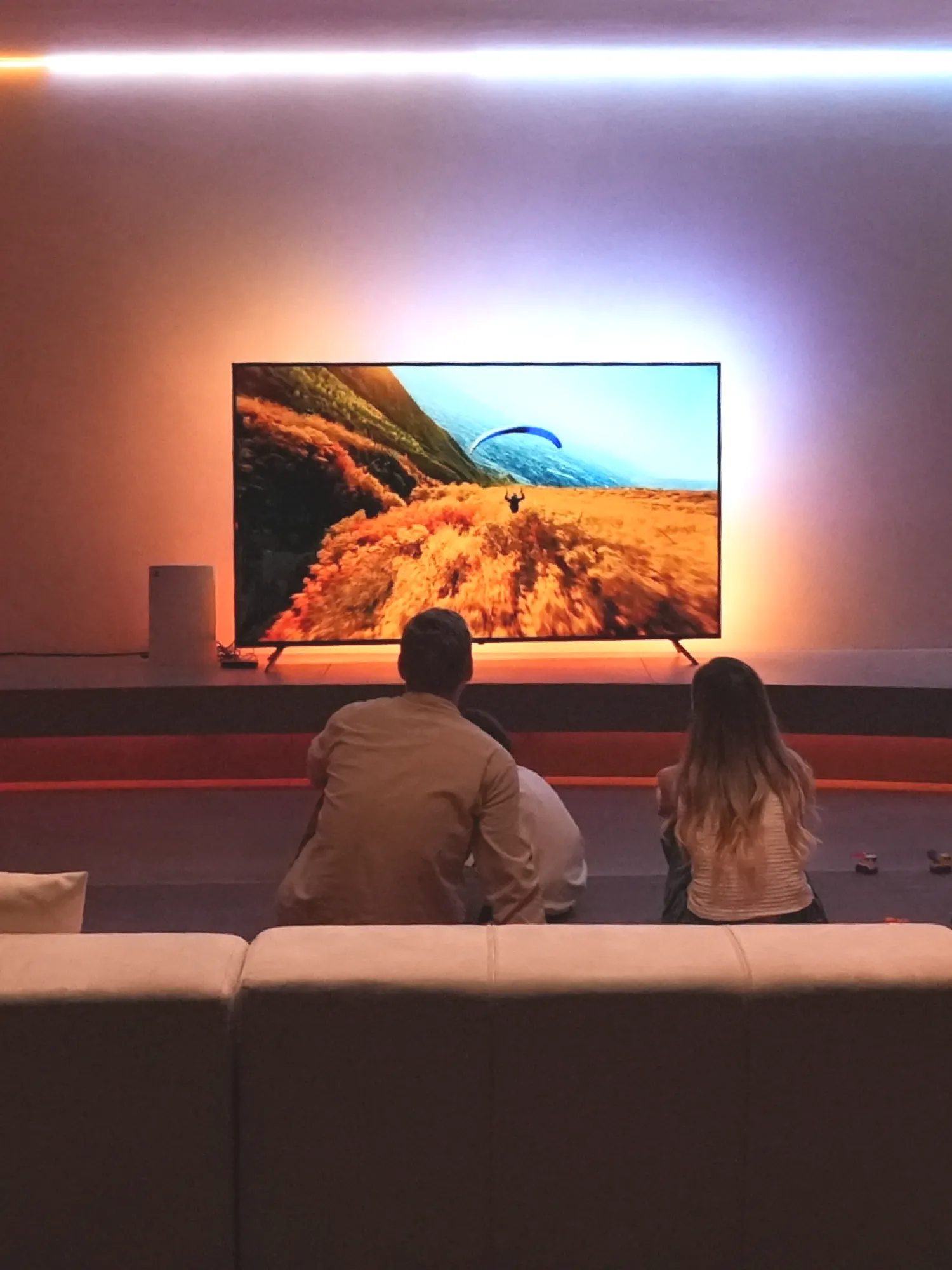
  • 16 Million Colors & Multi-Zone Dynamic Lights: Transform your room with 16 million vibrant colors. Our advanced segmented lighting technology allows different sections of the light strip to display multiple colors simultaneously, accurately extending the on-screen image for a truly immersive and captivating halo effect that wraps around your room.
  • 4K HDR @ 60Hz HDMI 2.0 Pass-Through – No Quality Loss: Enjoy premium 4K HDR content at 60Hz without quality loss. Fully compatible with PlayStation, Xbox, Apple TV, and other HDMI 2.0 devices for the best picture and sync experience.
  • Smart Voice & App Control: Take full command with your voice or smartphone. Works seamlessly with Alexa and Google Assistant for hands-free control. Use the intuitive app to effortlessly adjust modes, colors, and brightness. (Requires 2.4GHz Wi-Fi)
  • A Perfect, Custom Fit for Most TVs: Universal compatibility made simple. One flexible, cuttable LED strip is designed to fit almost any screen, from a 27-inch monitor to a massive 90-inch TV. Easily adjust the saturation and brightness levels to create the perfect syncing experience for epic movie nights, intense gaming sessions, or casual TV viewing.
  • Dynamic Music & Scene Modes for Every Mood: Set the vibe to match any moment. Activate Music Mode to let your lights dance to the beat, or choose from various screen and fixed scene modes to create the perfect ambiance for parties, gaming, or relaxing.
  • Expand Your Entertainment Setup: The sync box has 1 HDMI input, ready for your favorite device. To connect more, simply add an HDMI switcher (sold separately). Remember: For the lights to sync, always use external devices like a Fire Stick or game console, not your TV's smart apps.
Free & Fast Delivery
Lifetime Customer Support
Payment Security
60 Days Back Guarantee
LS06001-TV-WB-NA-1P
Estimated delivery in 3-7 business day
Final Price
Bonding Over Immersive Adventures
Linkind ET6 Smart TV Backlights with HDMI 2.0 Sync Box
Linkind ET6 Smart TV Backlights - HDMI 2.0
Watch Video
LumiSync™
The scene-sync algorithm analyzes HDMI input and delivers color-perfect lighting—adding a touch of movie magic to every viewing moment.
Sensitivity
Unmatched Visual Precision
Total Color Accuracy, Zero Perceived Latency
True-to-life lighting matches and enhances every scene.
HDMI 2.0 makes it easy to connect computers, game consoles, streaming devices, and more with wide compatibility.
Full Corner-to-Corner Coverage
Auto-Refill —— Always in Sync
Endless Lighting Possibilities
Enjoy programmed effects for holidays or set the perfect atmosphere.
16 million multi-color
No security or privcacy risks
Dynamic presets and music modes
Unaffected by external lighting
HDR 10+ & 4K 60Hz
Easy installation and Cuttable Sizes
Be Inspired by These LumiSpheres
Compatibility
To ensure you have the best experience with your Linkind ET6 Smart TV Backlights with HDMI 2.0 Sync Box, please review the following:
Compatible HDMI Devices
Most HDMI devices will work seamlessly with your Linkind ET6 Smart TV Backlights. Examples include:
Note: While we can’t provide a list of all compatible HDMI devices, this should provide a fair indication that your HDMI devices will very likely work without any issues.
Ambient Lighting System
Starter Kit
Starter Kit

Specification

Product Linkind ET6 Smart TV Backlights with HDMI 2.0 Sync Box
Power Input 100-240V 50/60Hz
Adapter Output DC12V⎓3A
Max Power ‎36W
Light Strip Length ‎10 ft each, 2 included
Voice Assistants Amazon Alexa, Google Assistant
Control Methods ‎App, voice control, sync box
HDMI Version HDMI 2.0 with support for up to 4K@60HZ

FAQ

Why are the lights not synchronizing with the TV screen?

+

1. Make sure that TV screen mode is selected. 2. Configure the light strip length in the app to ensure it matches your TV. 3. Make sure the light strip installation began at the bottom right corner of your TV. 4. Make sure the USB of the TOP and BOTTOM LED strips are connected to the correct ports on the Sync Box. 5. Make sure the HDMI cable is correctly connected. If no image is seen on your TV screen, connect your HDMI output device directly to your TV to check it is correctly outputting an image.

Why can't I connect the Sync Box to the AiDot app?

+

1. Check to ensure your Wi-Fi network is using 2.4 GHz which is required for conneciton. 2. Make sure that your Wi-Fi network is working correctly. 3. Reset the Sync Box by pressing and holding its power button for 5 seconds.

Why does my phone display "no internet access" when connnecting to the Wi-Fi network of the Sync Box?

+

This notification is an alert from your phone. It is a normal and expected behavior. During setup you will be connected directly to the Sync Box's own Wi-Fi network. Your phone will briefly have no connection to the internet. Tap 'connect' to proceed. Tapping cancel will not allow device setup to proceed.

Video Guides

User Manual